Team manager guide · 83 seconds
How to manage your crew’s safety training
Everything happens on one page — your team dashboard. This is it on screen: adding workers, seats, assignments, login cards and certificates. Subtitles are on, so it works without sound.
- 1
Your team page
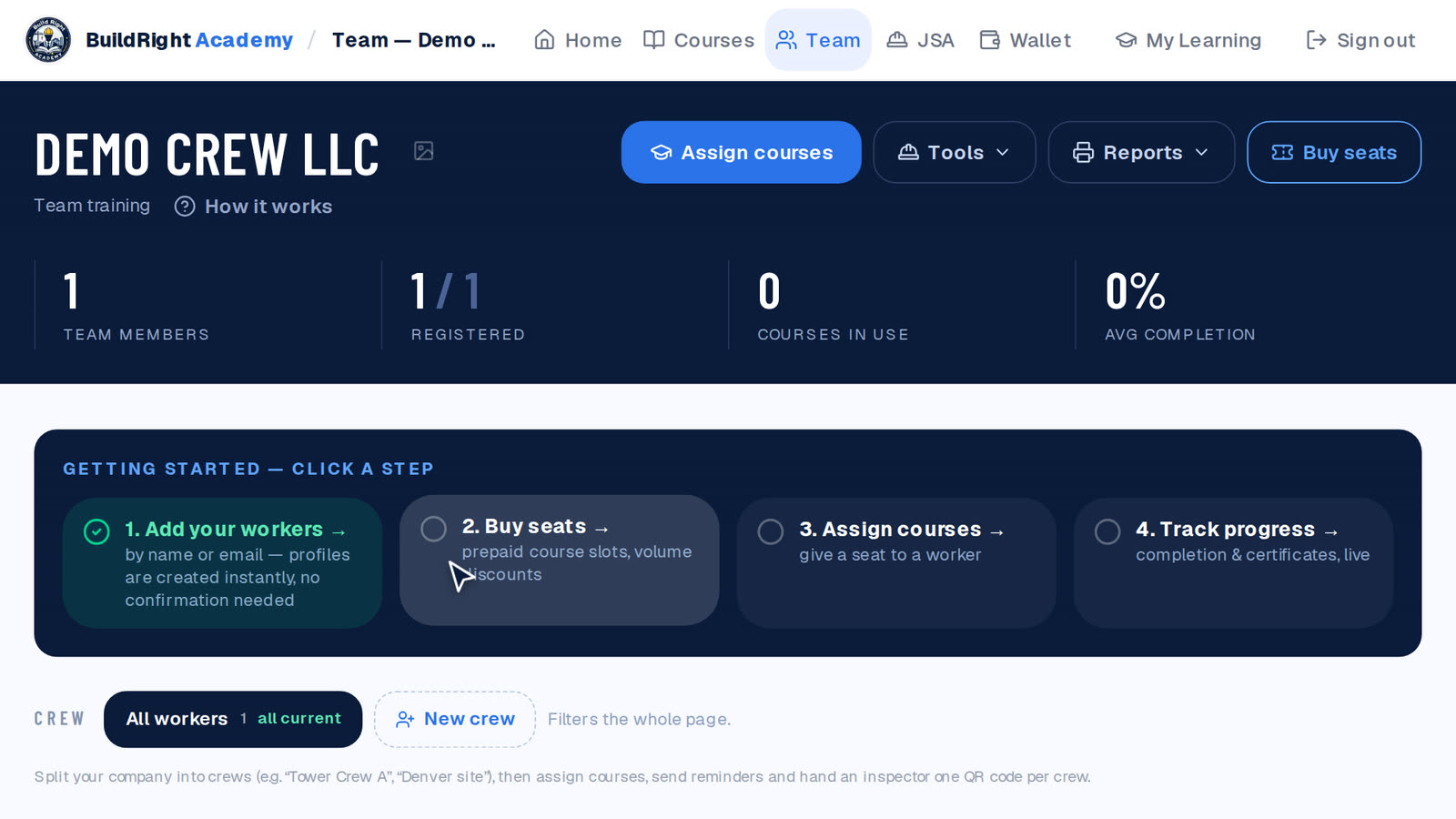
Everything lives on one page — your team dashboard. The dark band on top holds the four buttons you need: Assign courses, Tools, Reports and Buy seats. Until your first course is assigned, a checklist walks you through the steps below.
- 2
Add workers
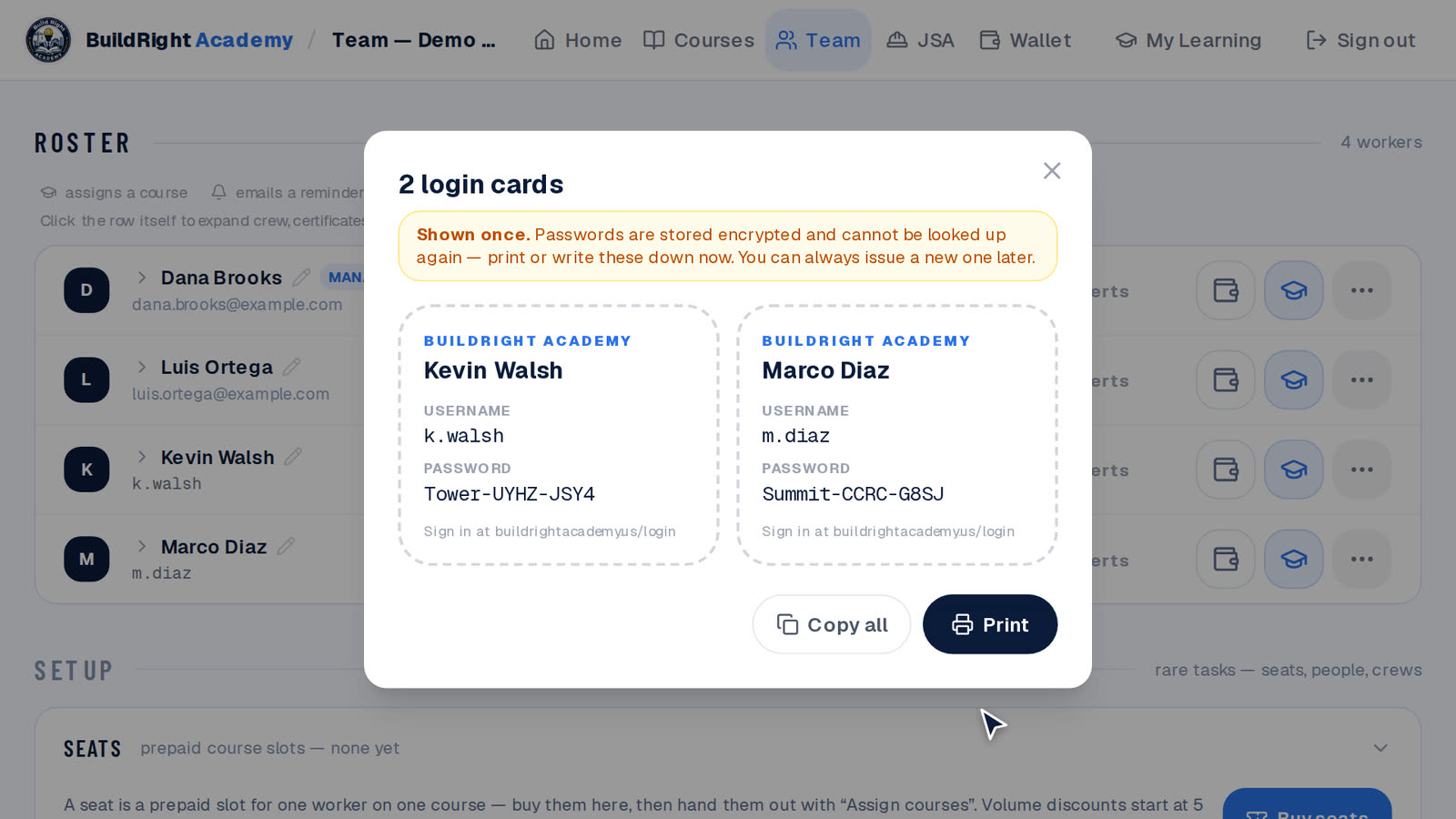
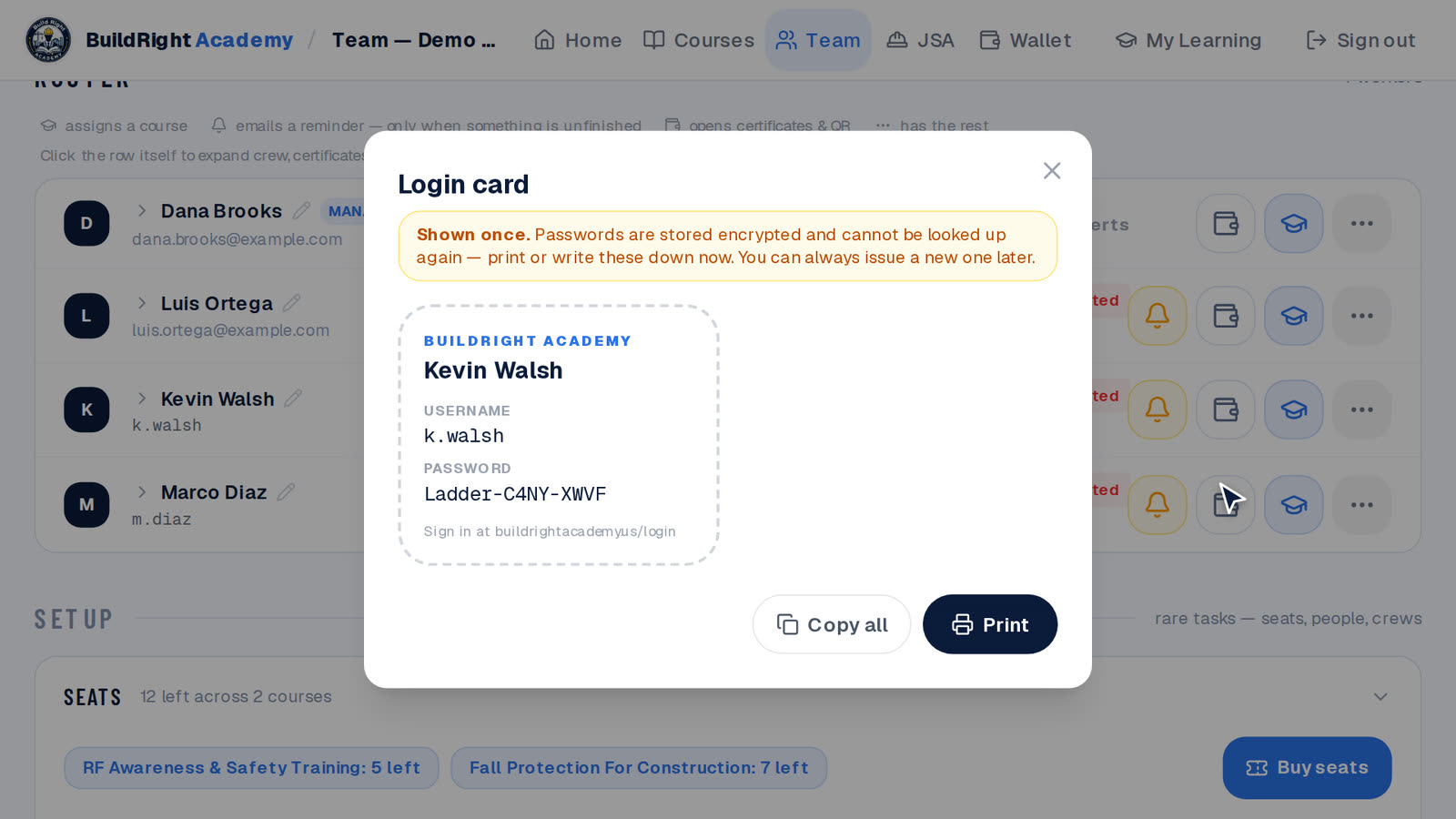
Click Add workers. Type a name and an email, and that worker gets their own sign-in. No email? Type just the name — for a crew without inboxes — and you get a username and password on a login card to print and hand over. Cards are shown once, so print them right away. A whole roster goes in at once with Paste a list or Import CSV.
- 3
Buy seats
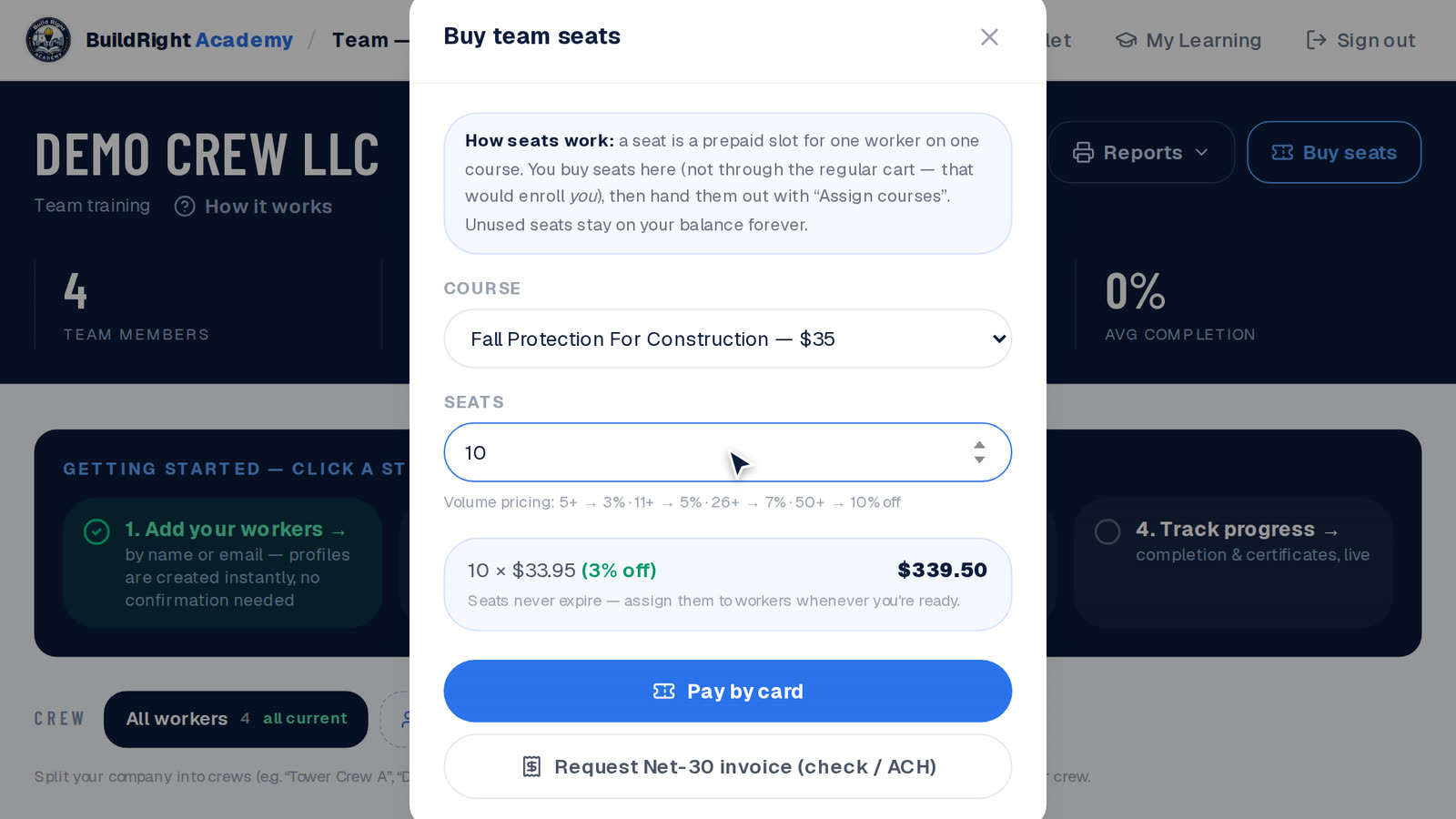
Click Buy seats, pick the course and how many people. One seat covers one worker on one course, and unused seats never expire. Pay by card, or choose Request Net-30 invoice (check or ACH) and we email the invoice within one business day. Volume discounts start at 5 seats.
- 4
Assign courses
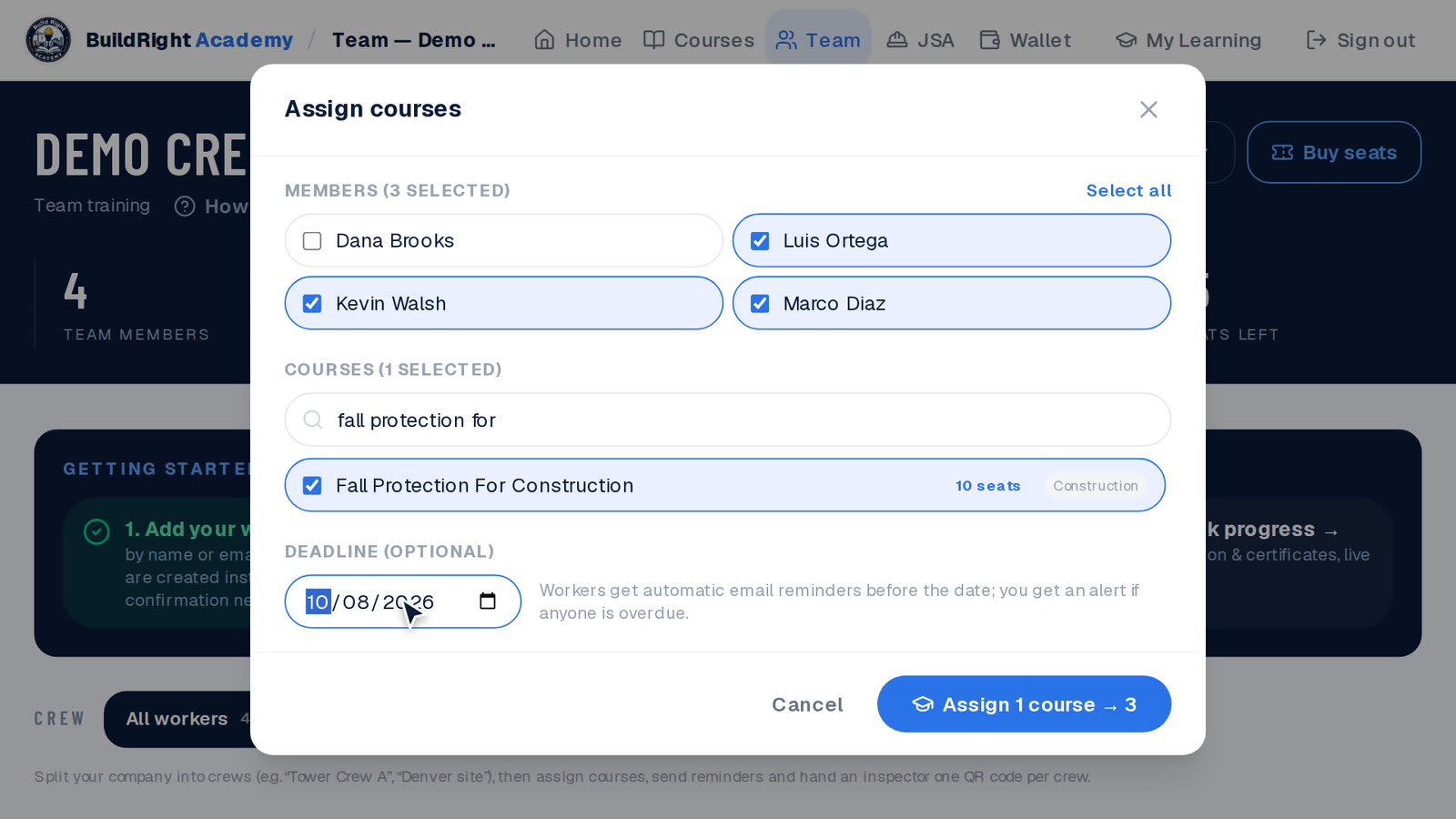
Click Assign courses, tick the workers, pick the course and set a deadline if the job has one. Each new assignment uses one seat, and the worker gets a heads-up. For workers without email, the notices come to you.
- 5
New password & card
Lost card or forgotten password? Open the ⋯ menu on the worker’s row and choose New password & login card. The old password stops working, and you print a fresh card. Workers with an email can use Forgot password on the sign-in page themselves.
- 6
Progress & certificates
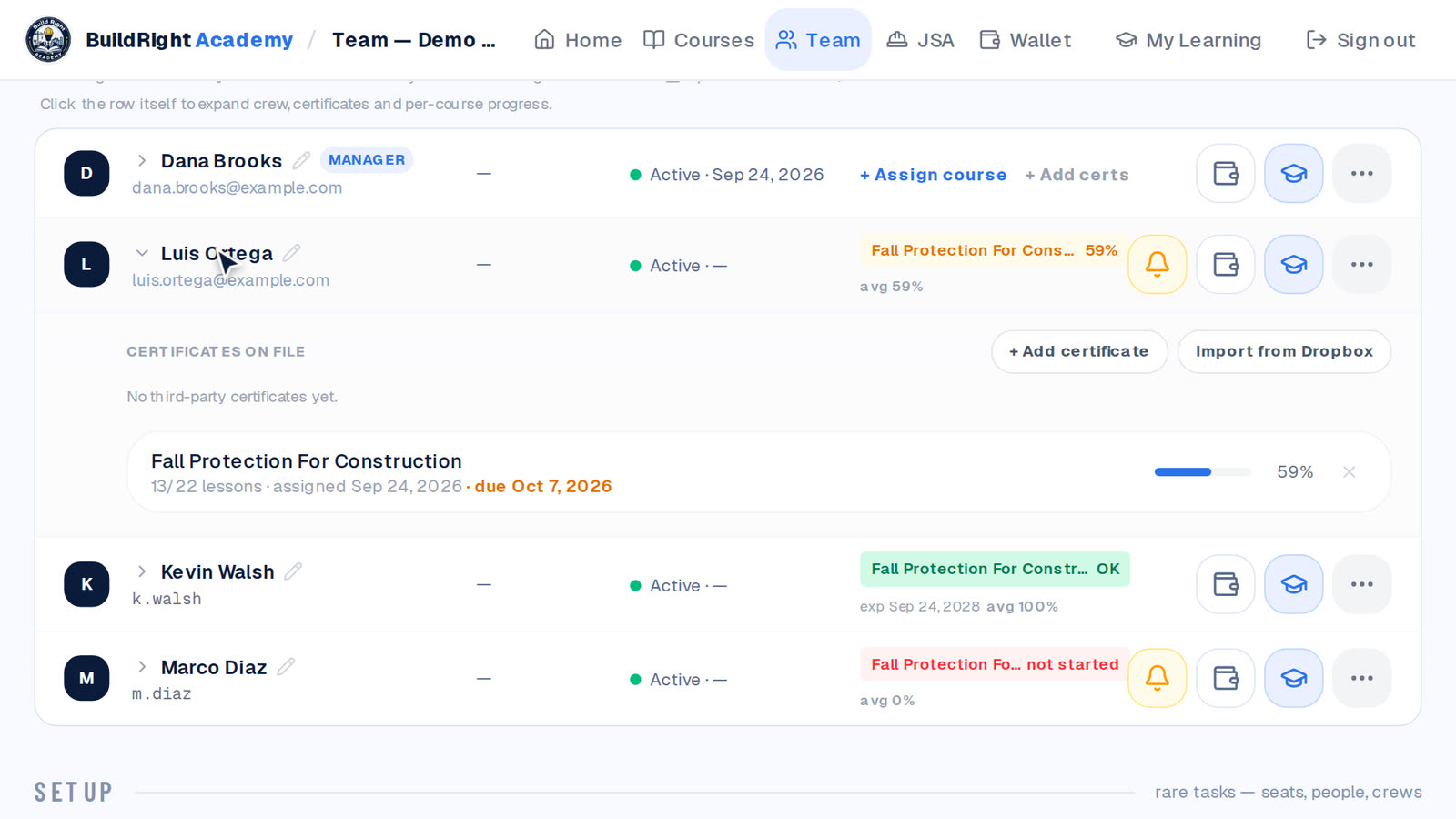
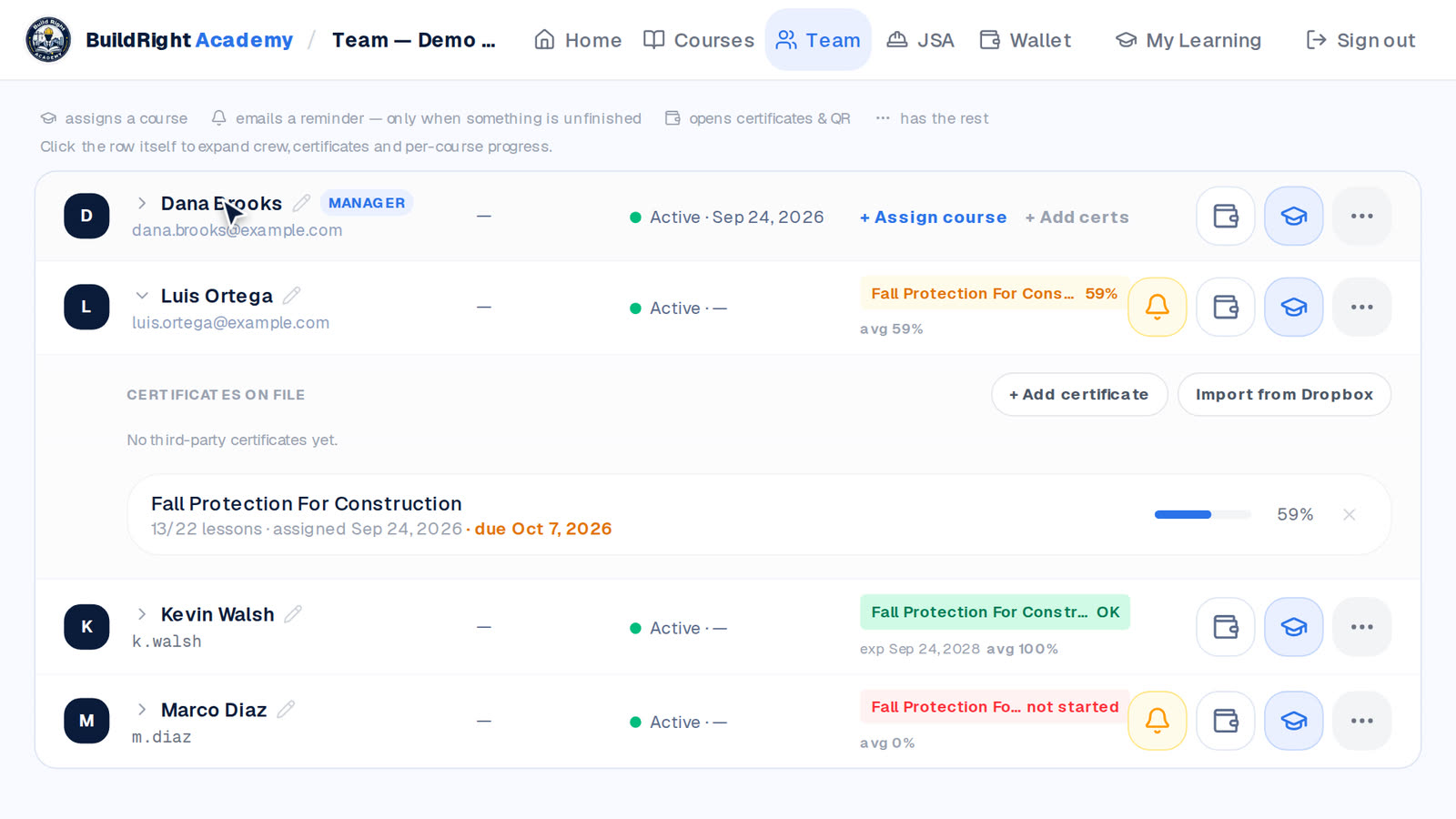
The roster shows each worker’s course, progress and certificate status — click a row for lesson-by-lesson detail. The amber band lists who needs attention, with a Remind button. Reports gives you a print-ready compliance report, a Certificates & QR page an inspector can scan, and a CSV export.
- 7
Request tools
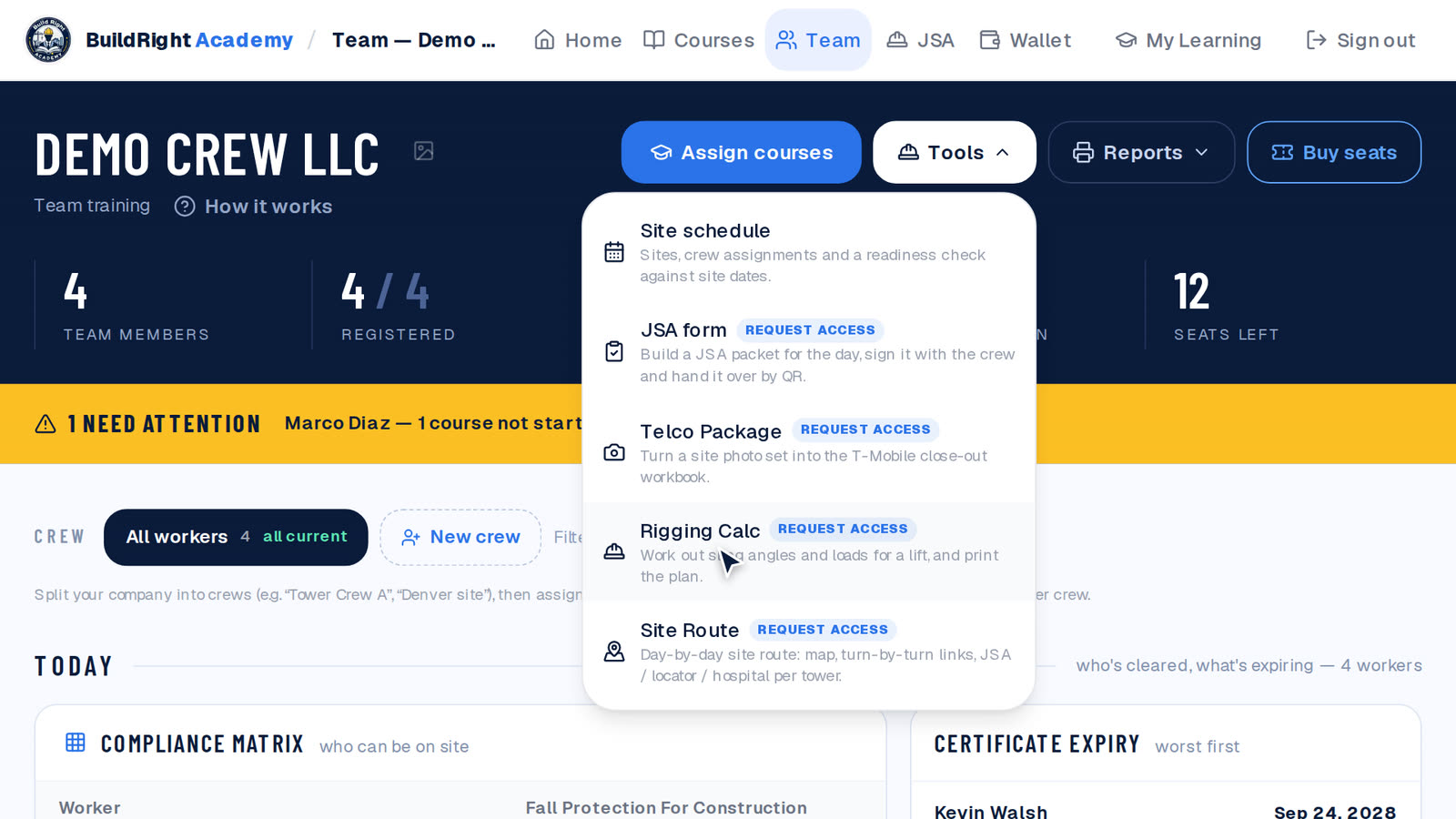
The Tools menu holds your site schedule and the field tools your company has. Rigging Calc, the JSA builder, Telco Package and Site Route show a Request access tag until they are on — tap it and we switch the tool on for your company, usually the same business day.
- 8
One rule
You’re the team’s manager — don’t remove yourself from the roster. The dashboard won’t let the last manager leave, because without one nobody can run the team. Stuck on anything? Reply to any of our emails, or send us your list and we’ll set the team up for you.
Ready when you are
No team yet? The same page lets you create one in a minute.
Rather not set it up yourself? Send us your list and we’ll do it for you.